Help Center
Welcome to the support center for Gift & Ship. We're here to help you streamline your gifting process.
How to Send a Gift
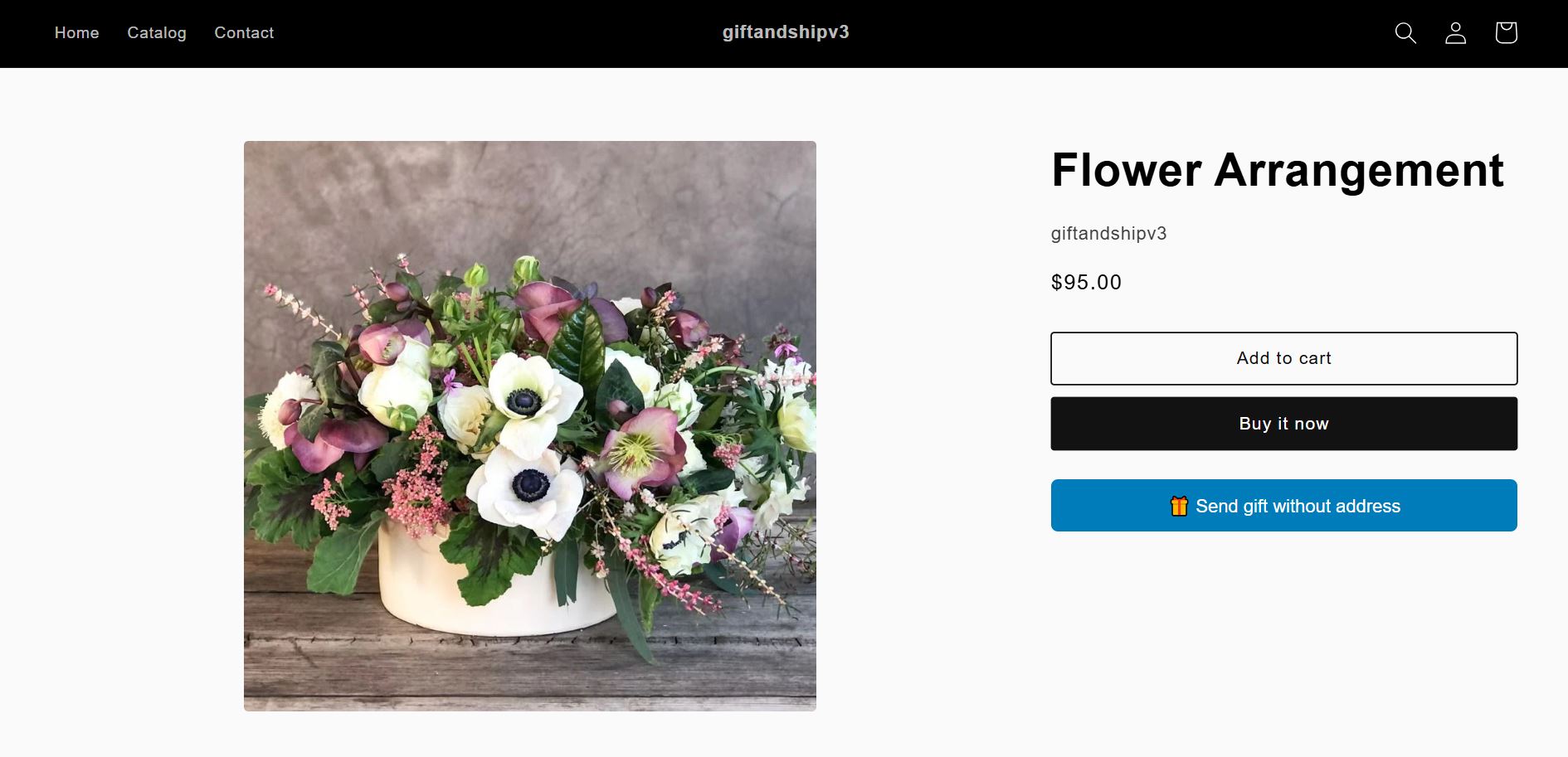
Step 1: Choose Your Gift
When you find the perfect item, you'll see a "Send gift without address" button right on the product page. Click this to start the easy gifting process.
Step 2: Enter Recipient Details
A pop-up will appear asking for the gift recipient's information. You'll need to enter their name and email address so we can send them the gift notification.
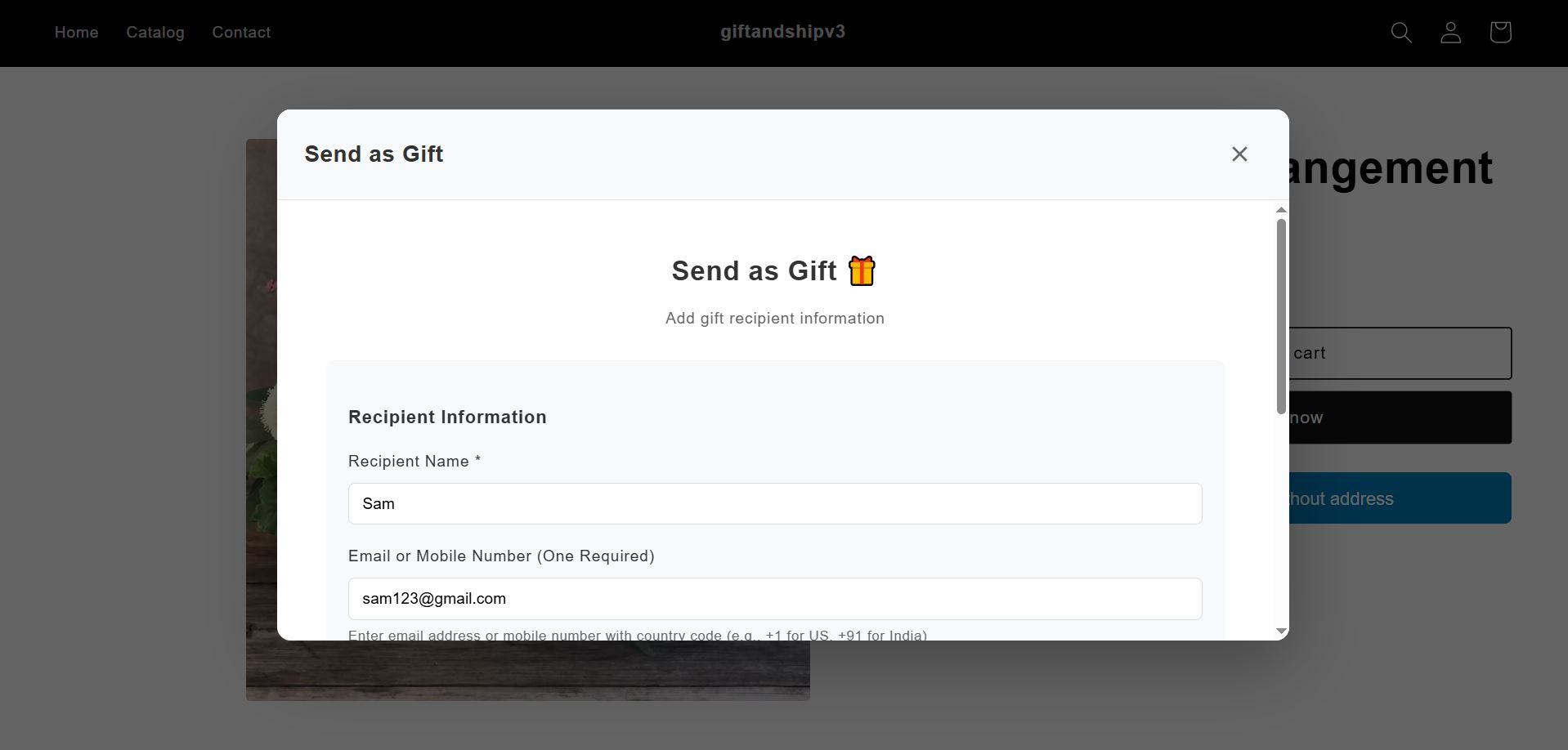
Step 3: Confirm & Add a Note
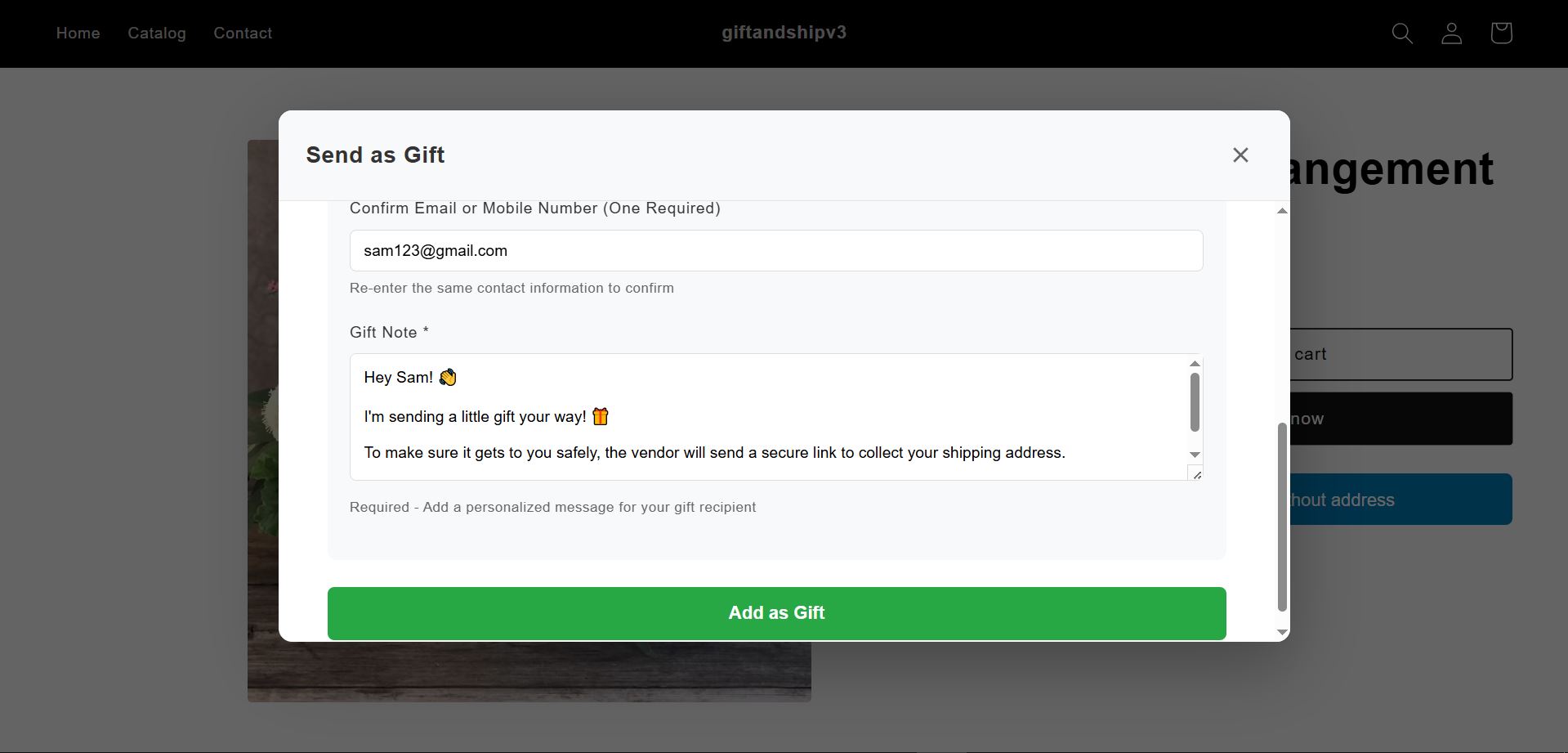
To ensure everything is correct, you'll be asked to re-enter the email address for confirmation.
You must also include a gift note so your recipient knows it's from you. A helpful note is automatically generated using the recipient's name, but you can edit it to add your own personal message! Click "Add as Gift" when you're done.
Step 4: Check Out Securely
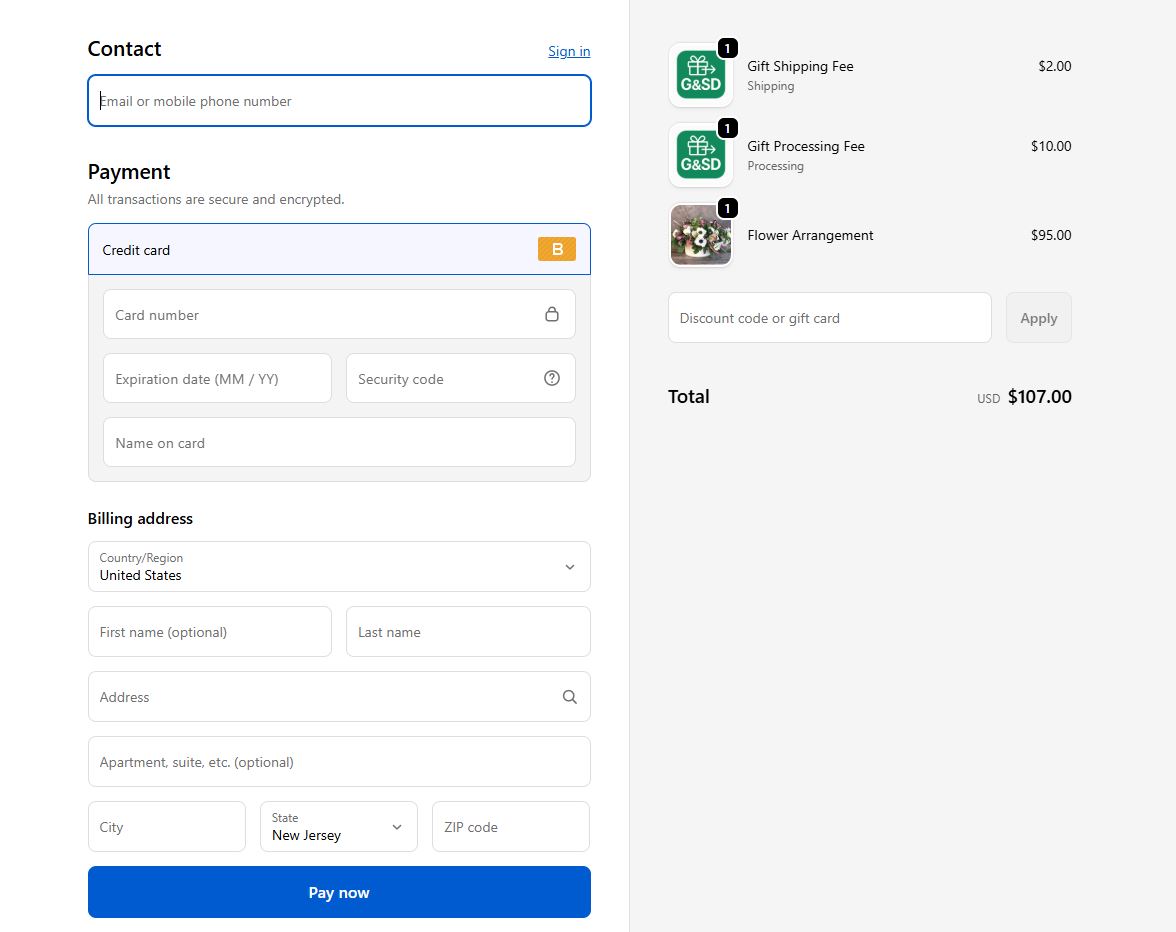
Once you've added the gift, you'll be directed to the checkout page. Your order will be placed on hold until the recipient provides their shipping address.
The applicable gift service fees will be added to your order total. Just complete the payment, and your gift notification will be on its way.
For Gift Recipients
Step 1: Receive Your Gift Notification
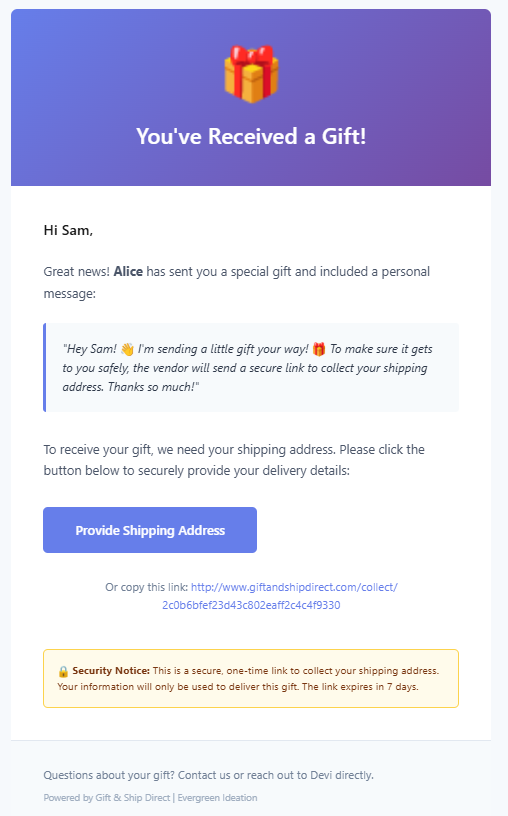
You will receive a branded email letting you know someone has sent you a gift. It will include a personal message from the sender and a secure link to provide your shipping address.
Step 2: Securely Provide Your Address
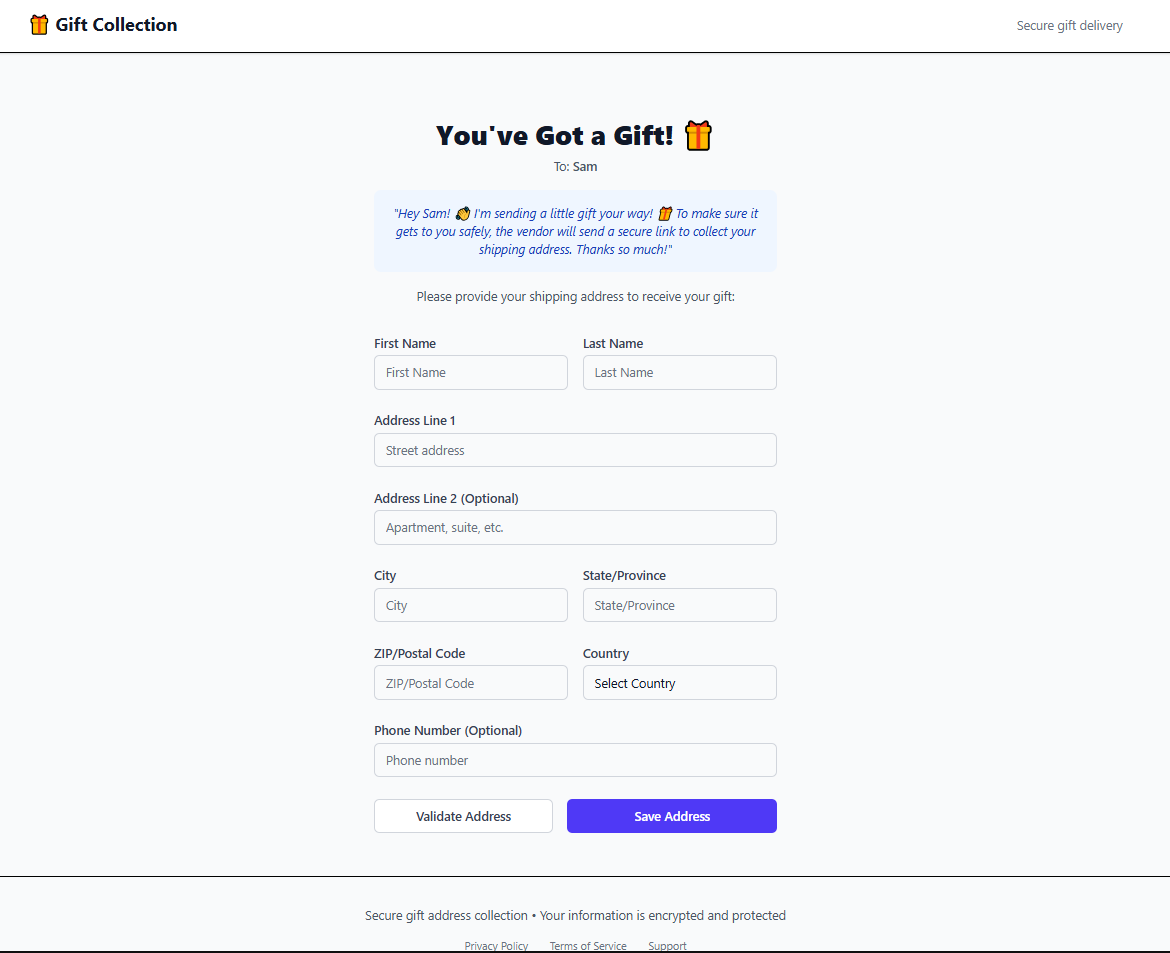
Clicking the link will take you to a secure, one-time-use page. Here, you can enter your preferred shipping address. This information is encrypted and only shared with the merchant for fulfillment—the person who sent the gift will never see it.
Step 3: All Done! Wait for Your Gift
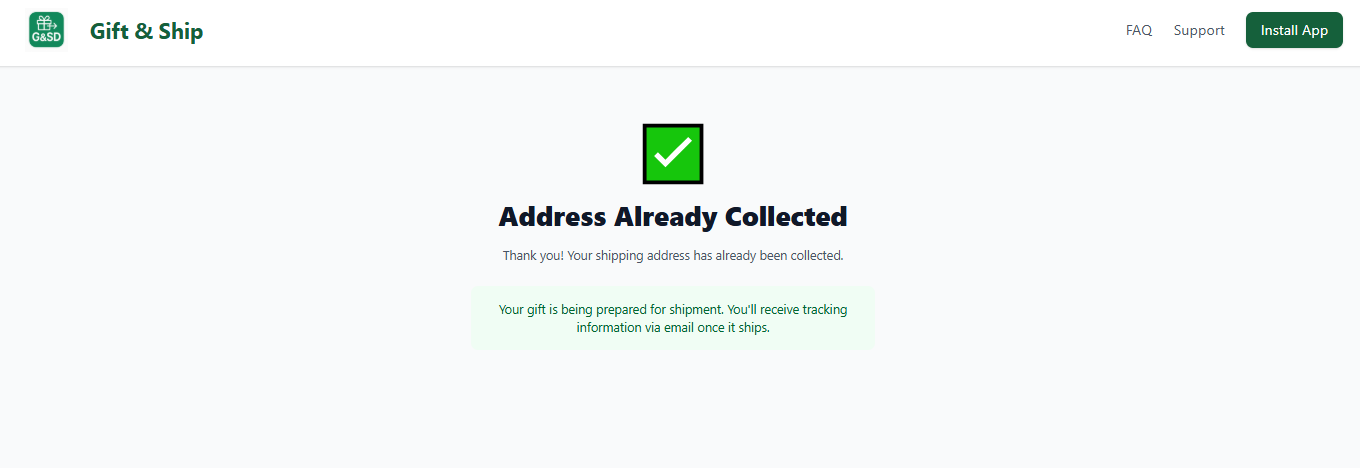
After submitting your address, you'll see a confirmation page. That's it! The merchant will be notified to prepare your shipment. You'll receive tracking information via email once your gift is on its way. Happy receiving!
Frequently Asked Questions
Still Have Questions?
Our support team is ready to help. Reach out to us, and we'll get back to you as soon as possible.